> For the complete documentation index, see [llms.txt](https://docs.shadow.xyz/llms.txt). Markdown versions of documentation pages are available by appending `.md` to page URLs; this page is available as [Markdown](https://docs.shadow.xyz/modify-contracts/how-tos/factory-contracts.md).
# Factory contracts
## What is a factory contract?
Factory contracts are a widely used pattern across DeFi in DEXs, lending pools, and yield vaults.
A factory is a contract that can deploy multiple instances of the same contract — we call these child contracts.
Generally, child contracts share the same functionality, but are typically initialized with different constructor arguments, which may alter the child contract’s runtime bytecode. Factory contracts are widely used across many protocols, including Uniswap, Compound, and Pendle – for example, there are 300K+ Uniswap V2 pools deployed by one factory contract.
Shadowing each pool contract individually would be a highly tedious and impractical process. Shadow provides powerful features that allow you to make one set of changes to a factory contract and link all of its child contracts to those changes.
## Product guide
### Identifying a factory contract
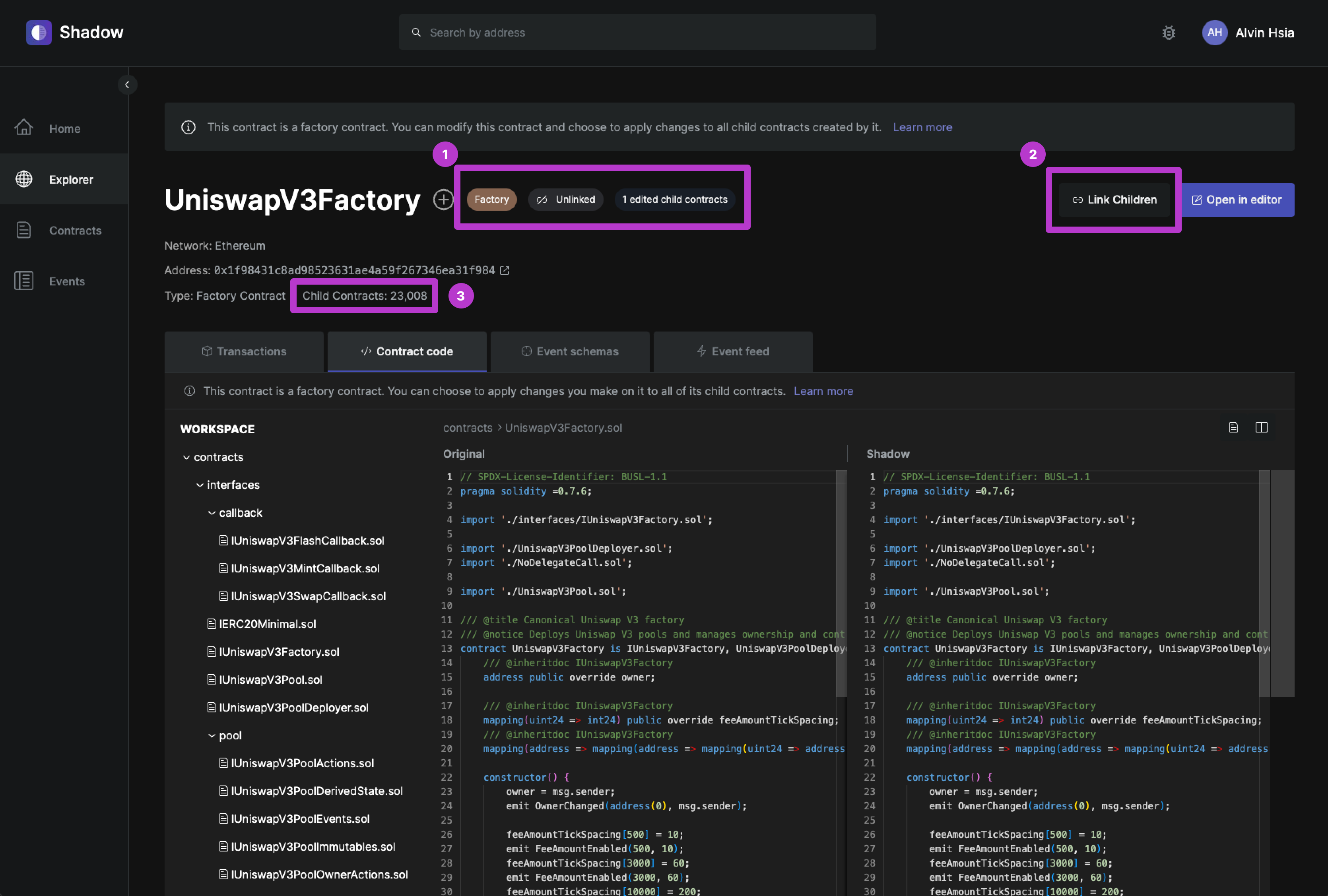
Shadow automatically detects if a contract is a factory contract, or a child contract deployed by a factory contract. On the contract page, you will:
1. See indicators that tell you:
* That this is a factory contract
* If the factory contract is current linked with all of its child contracts
* The number of separately edited child contracts on your shadow fork
2. Have the ability to link the changes made on the factory contract with all of its child contracts.
* If linked, your changes will apply to all existing children, and any new ones deployed by the factory in the future.
3. See a total count of all the child contracts deployed by this factory contract
### Linking a factory contract to its child contracts
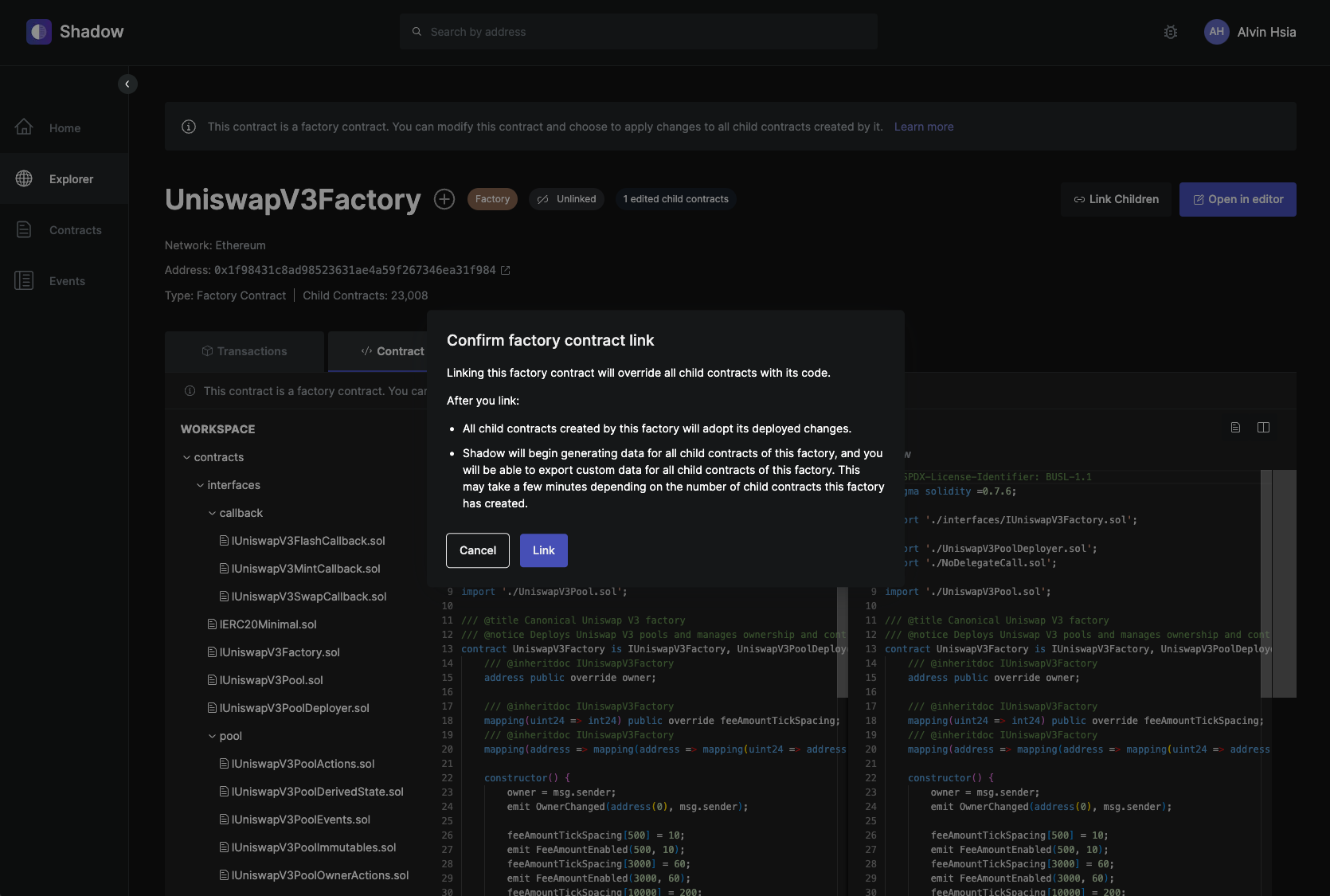
If you already have deployed changes to a factory contracts on your shadow fork, you can simply click the `Link Children` button from the factory contract page to link it with all of its children.
Once linked, any changes deployed to the factory contract will propagate to its child contracts; this includes all existing child contracts, as well as any child contracts deployed by the factory in the future.
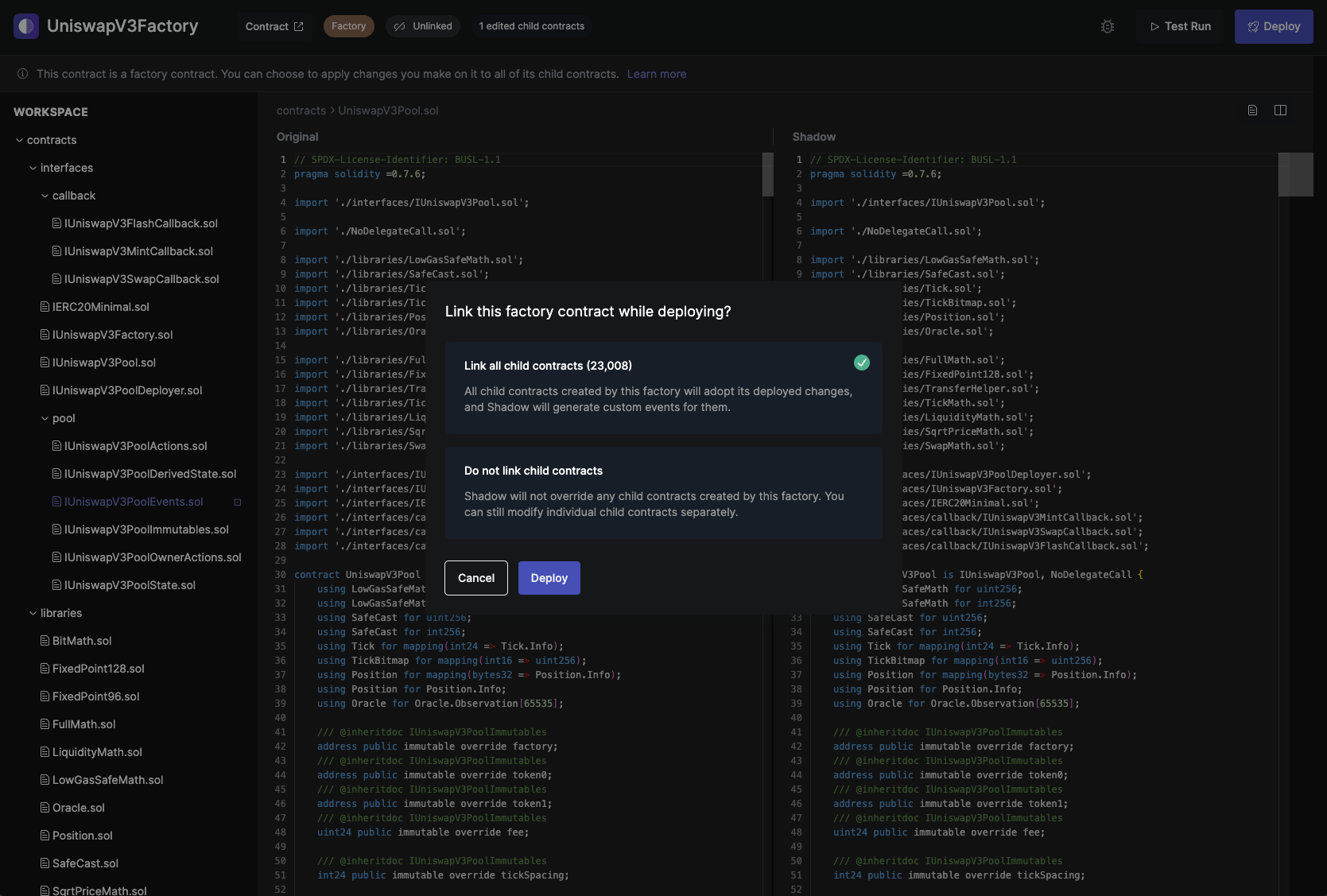
You can also link a factory contract to its child contracts from the Editor, while deploying changes.
## Demo
{% embed url="" %}