Don't know Solidity? Don't worry.
Cursor IDE to help you write shadow events
Cursor AI prompt to give GPT context on Shadow and provide ready-to-use code
Contract Code Viewer extension to pull down contract code by pasting in an Etherscan link
to compile your shadow contracts
This guide shows you how to set each of these tools up and use them effectively.
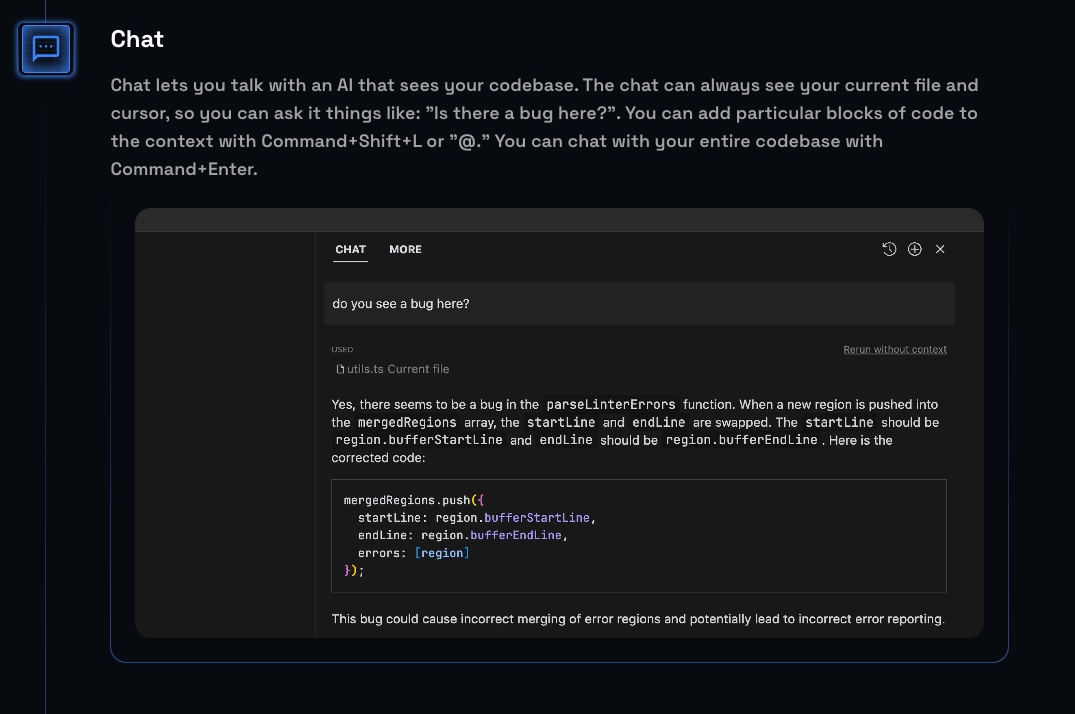
is a GPT-4 integrated IDE built on top of VSCode. Using this is highly recommended for beginners to Solidity or non-engineers (e.g. data analysts), as it has a number of benefits:
It has full codebase context of all files in a smart contract without needing to copy paste
It can write code for you directly in the contract
You can easily link to a code snippet when asking the AI questions
You can one click ask it to resolve compiler errors
Cursor's standard subscription costs the same as ChatGPT Plus ($20/mo). You can also provide a GPT API key and pay no extra costs (hit the gear icon in the top right corner).
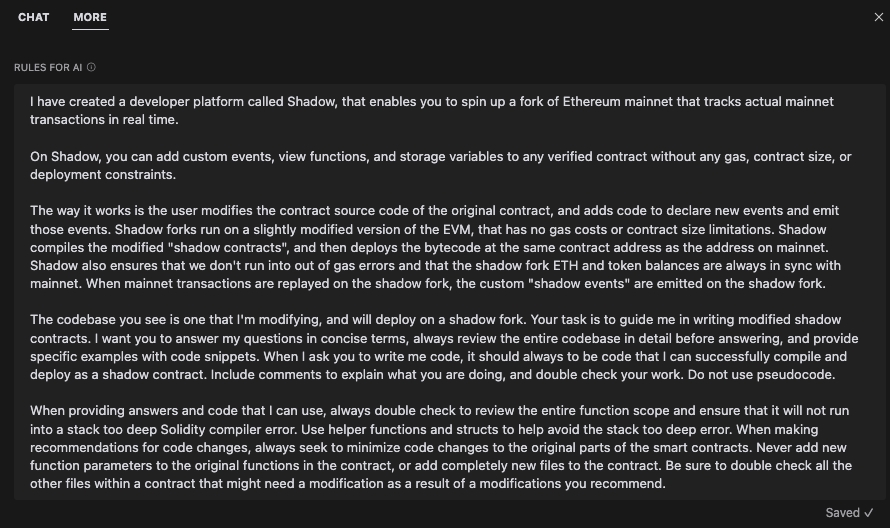
This is a GPT prompt that we've iterated on through trial and error. It gives GPT context about what Shadow is, and guidelines for how to answer your questions and write shadow events for you. Paste this into Cursor to give the AI rules on how to answer your questions and write code.
The Contract Code Viewer extension allows you to download contract code into Cursor simply by pasting in an Etherscan link. This will allow you to edit the contract to add shadow events.
How to install within Cursor:
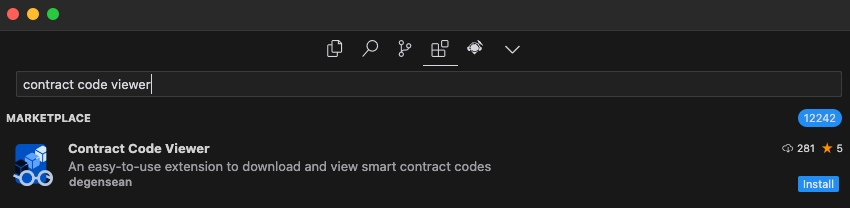
Navigate to the extensions tab within Cursor in the top left corner
Search "Contract Code Viewer" → select the extension by degensean → Install
How to use within Cursor:
Click into the top search bar in Cursor and type > to open the command palette, or use the keyboard shortcut cmd + shift + p and type "contract code viewer"
Select Enter URL to the contract on explorer
Paste in the Etherscan URL of the contract that you want to add shadow events to
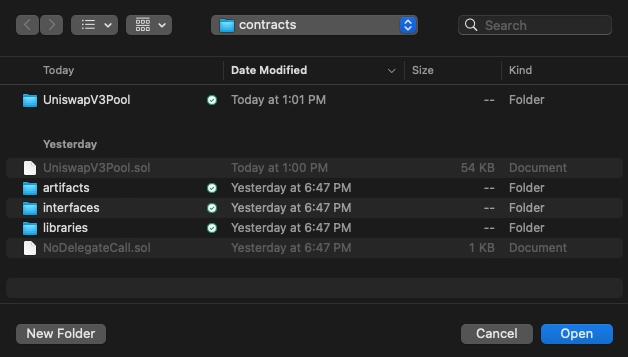
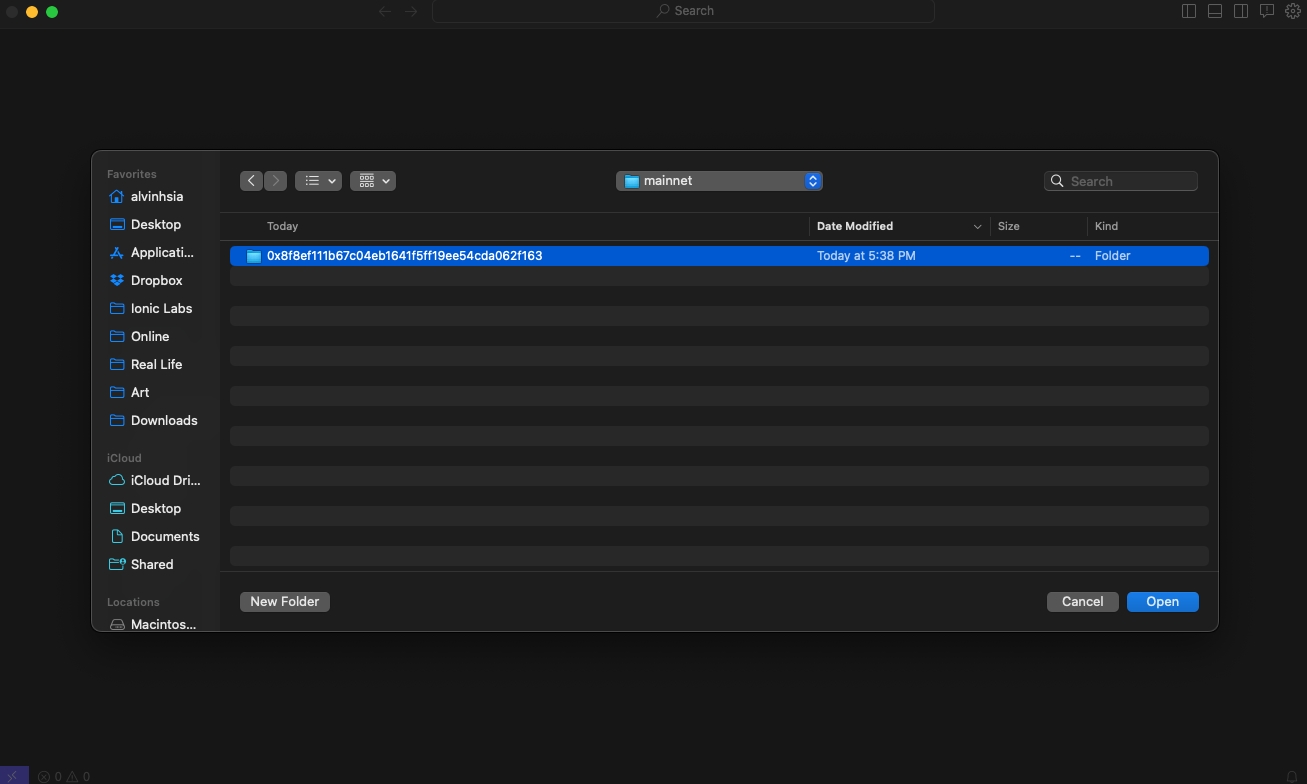
Open the folder or file that shows up on the dialog
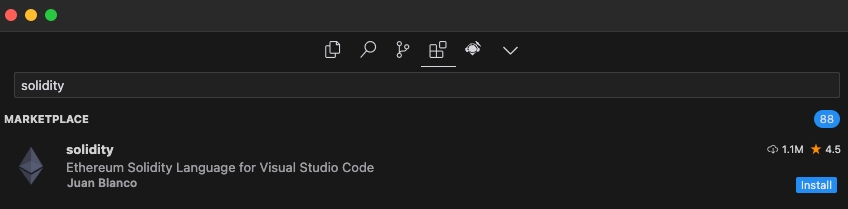
The Solidity VSCode extension by Juan Blanco is what most Solidity developers use. This will allow you to compile your Solidity contracts for testing and prettifies Solidity code for easier reading.
How to install within Cursor:
Navigate to the extensions tab within Cursor in the top left corner
Search "Solidity" → select the Solidity VSCode extension by Juan Blanco → Install
How to use within Cursor:
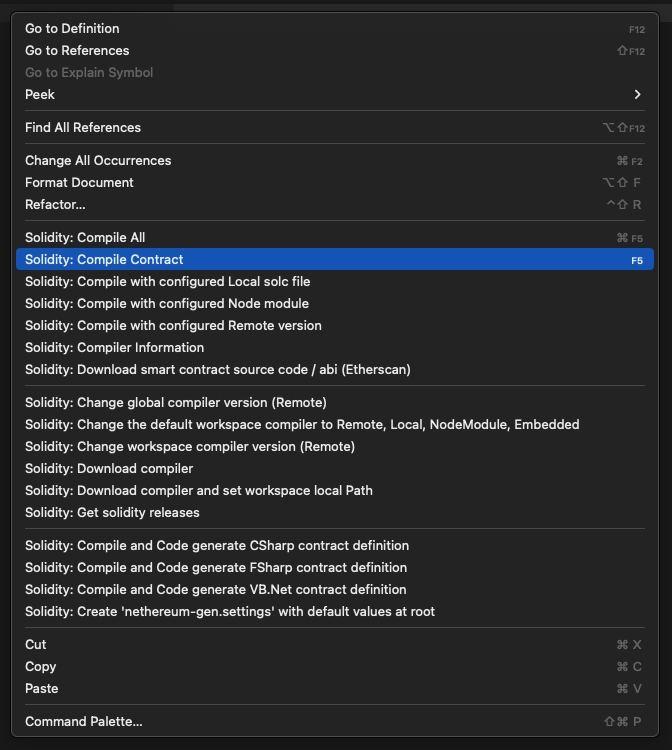
Compiling contracts means that you are compiling your Solidity code into bytecode, which is the low-level language that the EVM uses. This is a necessary step to ensure that your Solidity code can be processed into valid bytecode that is readable by the EVM (and Shadow).
What to do: Within a contract file (.sol), right click anywhere and select Compile contract or use the keyboard shortcut F5
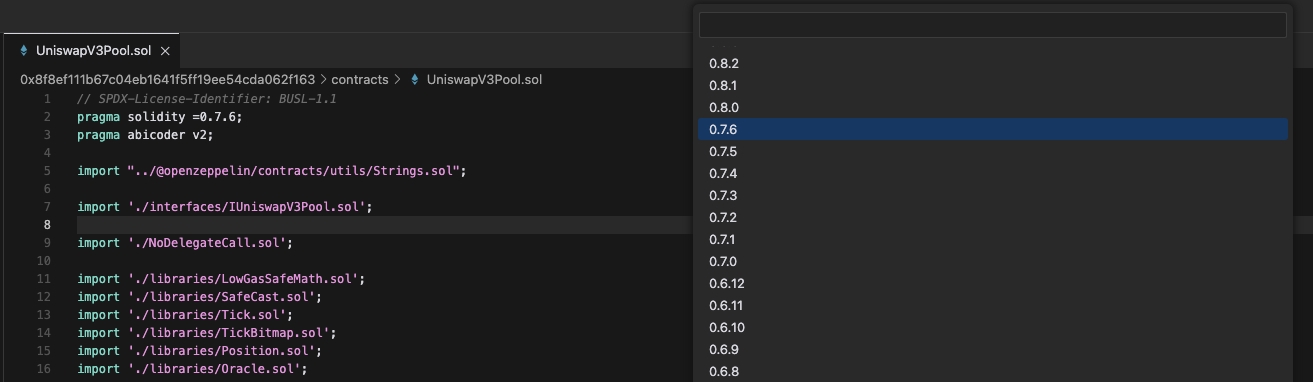
Changing the compiler version is necessary to successfully compile the specific contract that you are modifying. The extension will default to the latest Solidity compiler version, but oftentimes you will be modifying a contract that was deployed using a previous compiler version.
What to do:
Click into the top search bar in Cursor and type > to open the command palette, or use the keyboard shortcut cmd + shift + p and type "change compiler"
Select Change workspace compiler version (Remote)
Change version to match what's written in pragma solidity = at the top of the contract
I have created a developer platform called Shadow, that enables you to spin up a fork of Ethereum mainnet that tracks actual mainnet transactions in real time.

On Shadow, you can add custom events, view functions, and storage variables to any verified contract without any gas, contract size, or deployment constraints.

The way it works is the user modifies the contract source code of the original contract, and adds code to declare new events and emit those events. Shadow forks run on a slightly modified version of the EVM, that has no gas costs or contract size limitations. Shadow compiles the modified "shadow contracts", and then deploys the bytecode at the same contract address as the address on mainnet. Shadow also ensures that we don't run into out of gas errors and that the shadow fork ETH and token balances are always in sync with mainnet. When mainnet transactions are executed on the shadow fork, the custom "shadow events" are emitted on the shadow fork.

The codebase you see is one that I'm modifying, and will deploy on a shadow fork. Your task is to guide me in writing modified shadow contracts. I want you to answer my questions in concise terms, always review the entire codebase in detail before answering, and provide specific examples with code snippets. When I ask you to write me code, it should always to be code that I can successfully compile and deploy as a shadow contract. Include comments to explain what you are doing, and double check your work. Do not use pseudocode.

When providing answers and code that I can use, always double check to review the entire function scope and ensure that it will not run into a stack too deep Solidity compiler error. Use helper functions and structs to help avoid the stack too deep error. When making recommendations for code changes, always seek to minimize code changes to the original parts of the smart contracts. Never add new function parameters to the original functions in the contract, or add completely new files to the contract. Be sure to double check all the other files within a contract that might need a modification as a result of a modifications you recommend.Don't know Solidity? Don't worry.
Using Shadow does require some Solidity knowledge, but you don't need to be an expert.
At a high-level, you need to be able to:
Decide what you want your end shadow event data table to look like
Read smart contracts well enough to understand where to insert shadow events
Write short snippets of Solidity code to declare and emit shadow events
Use ChatGPT tools to help you out when you get stuck (see recommendations below)
If you're a non-Solidity engineer, it'll be easy. You'll be able to use Shadow within 1-2 hrs.
If you're a data analyst that doesn't know any Solidity at all, you'll be able to use Shadow effectively within a few days. Some shadow events are easier to write, so you may even be able to get things working within a few hours. Many people who primarily have a SQL skillset have learned enough to use Shadow effectively, so don't be deterred!
We'll walk you through the steps to get started with detailed instructions and screenshots, and also provide tips on common issues that may arise as you create your own shadow events.
(e.g. recommended tools and how to get contract code)
We highly recommend Solidity beginners to use these tools in order to use Shadow effectively, and have written detailed instructions with screenshots on how to get them set up.
See "How to use" for the .
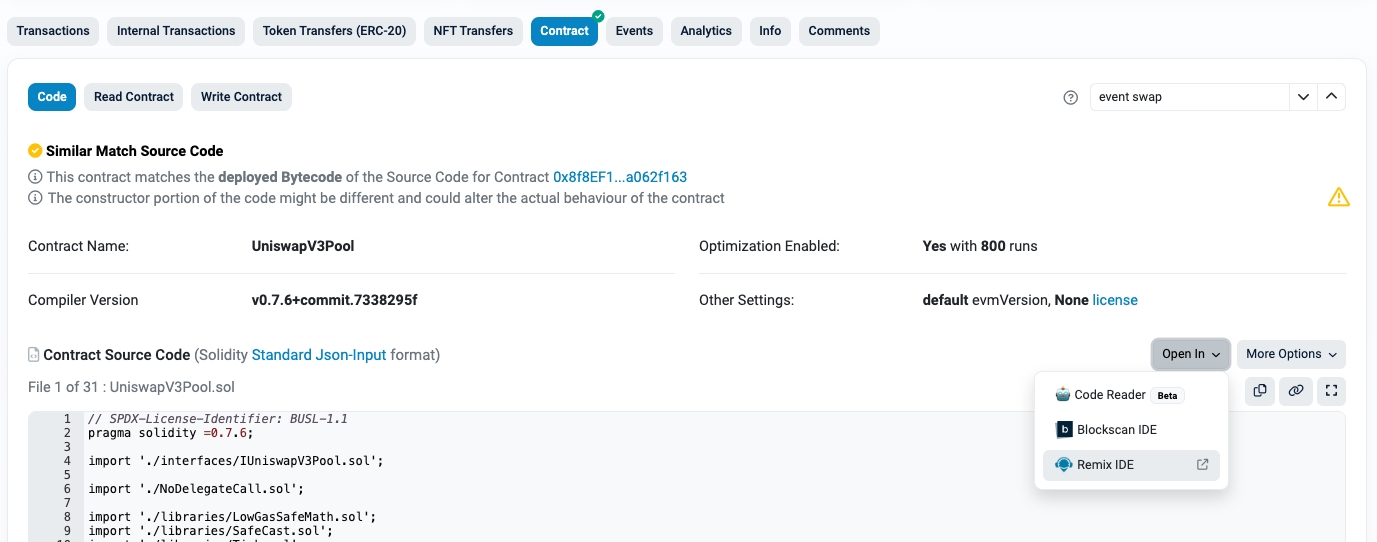
You can also download from Etherscan using Open In > Remix IDE from the Contract tab.
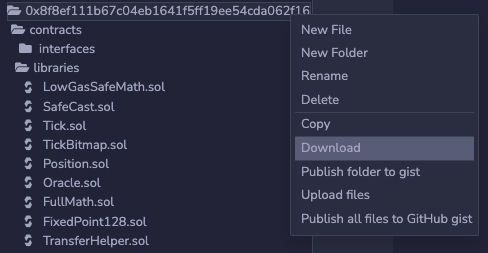
Right click the folder with the contract address and select Download
Open a new Cursor window > Open from folder> open the folder with the contract address
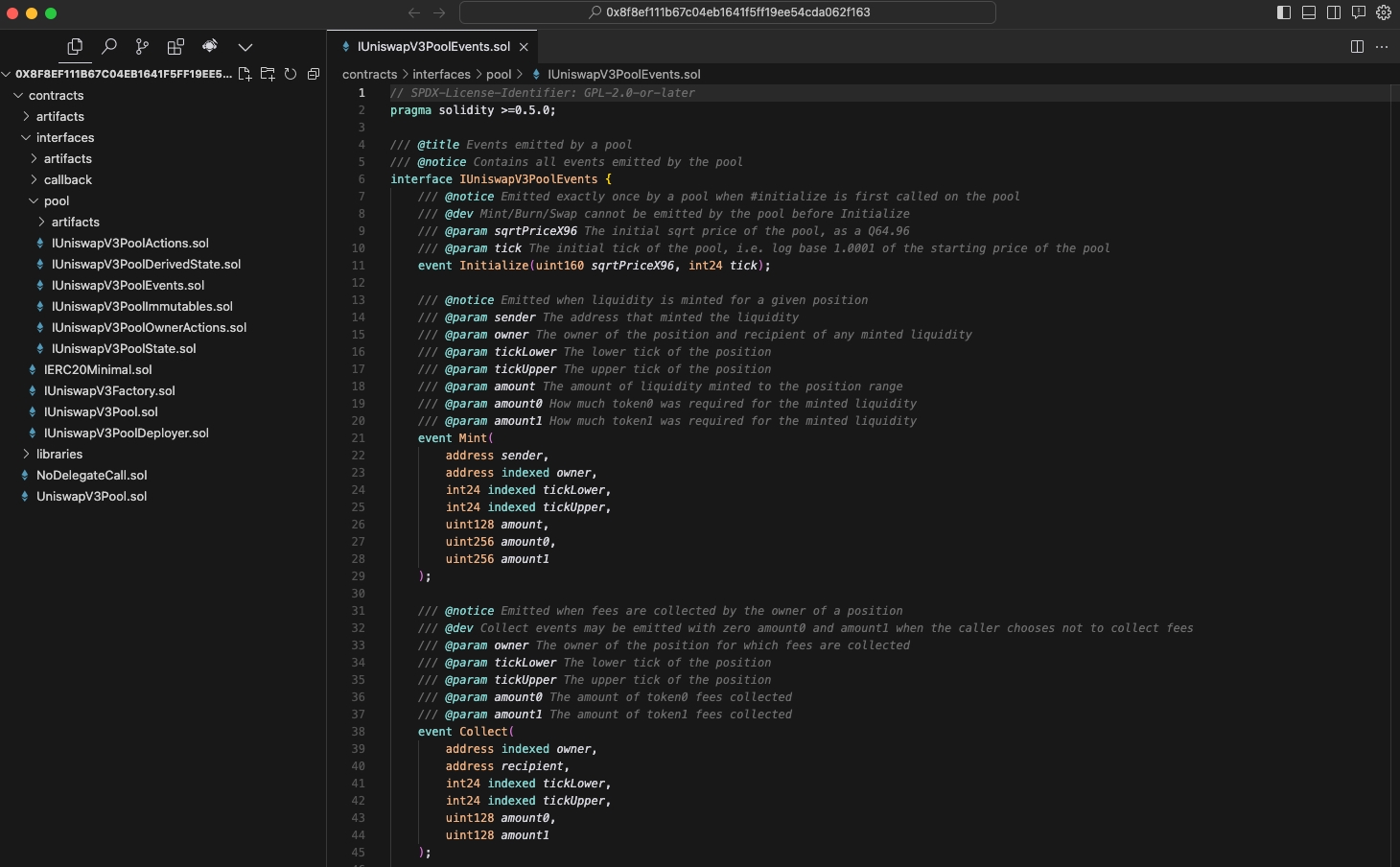
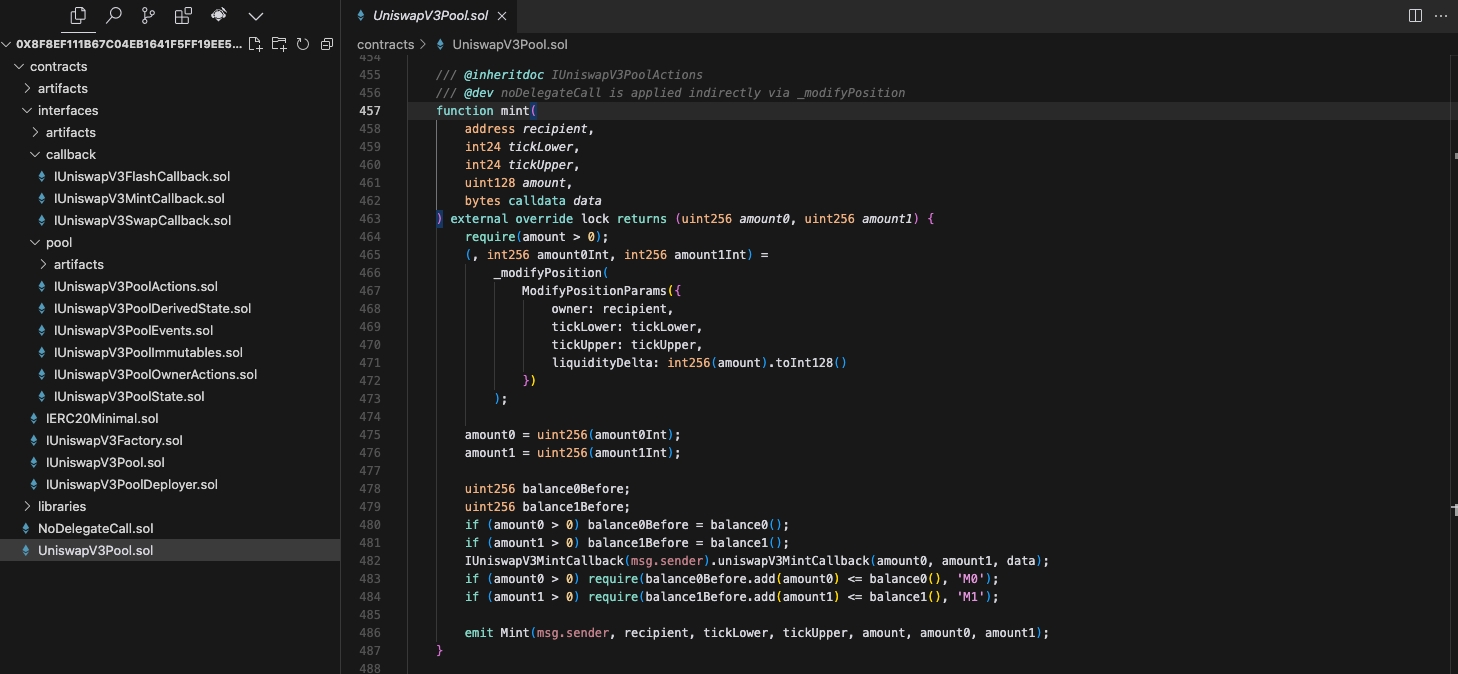
After this step, you should have a folder with the .sol file(s) from the contract imported into Cursor. Most contracts will have multiple folders, subfolders, and .sol files within each. This may look intimidating at first, but you'll usually only need to modify 1-2 files to add a shadow event.
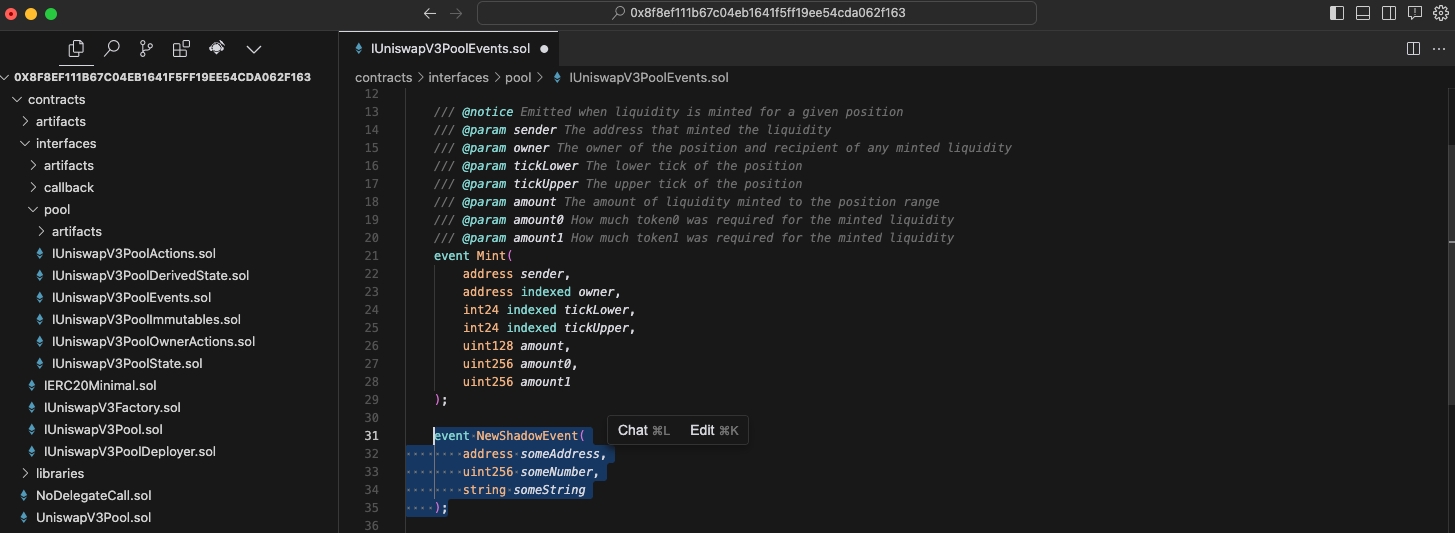
The first step of adding a shadow event is to declare it somewhere in the contract. This makes your contract aware of the event and its data parameters.
To keep things organized, you should try to declare your shadow event where the contract's other events are already declared. Search the codebase for "event" – it's usually pretty easy to find.
Declare your new shadow event where the contract's existing events are declared.
If you don't need to add a brand new event and instead just want to add data parameters to an existing event, you can do that too. If you're modifying an existing event, it's helpful for readability to rename it by pre-fixing "Shadow" to the name, e.g. ShadowMint
The second step
See "How to use" for the .
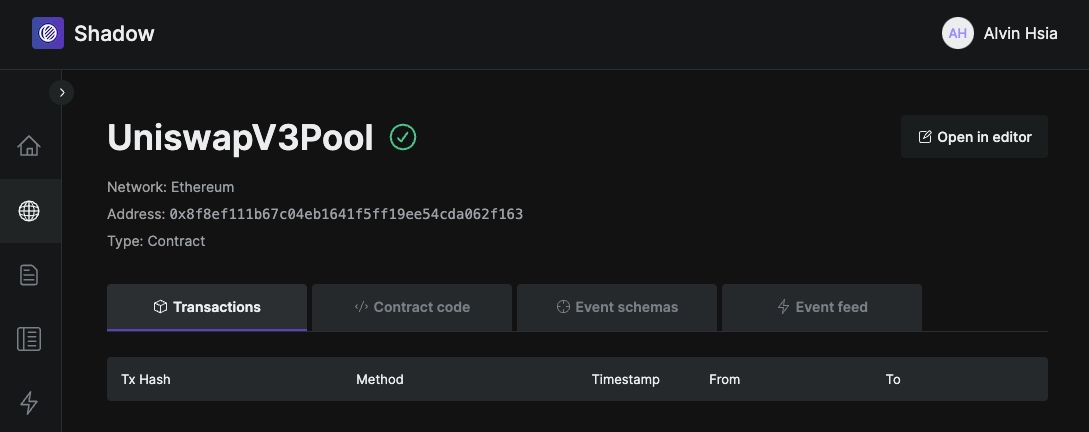
Go to the contract page on . The URL of the page should look something like this, with the contract address replaced and using your unique project_id at the end.
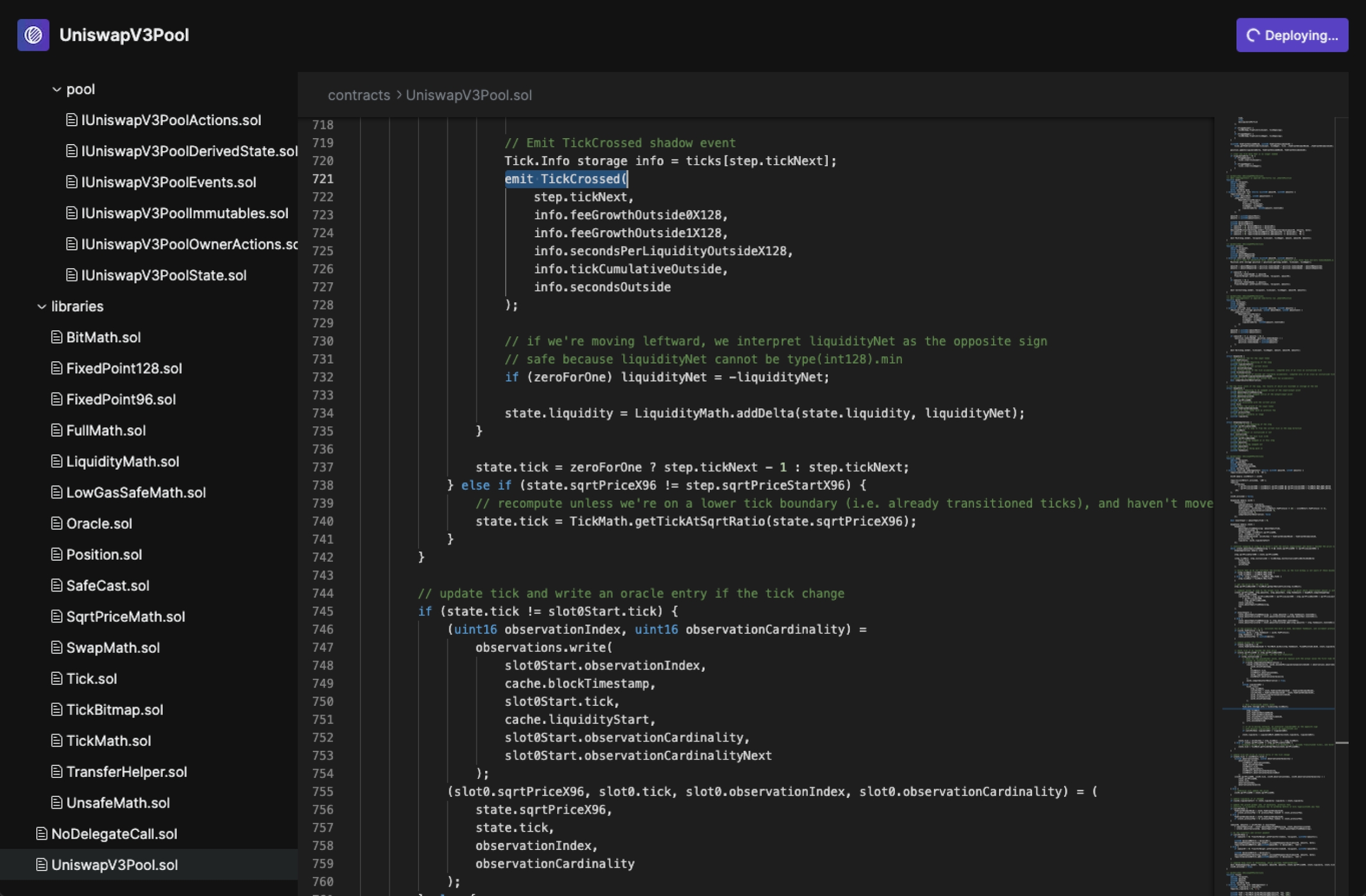
Click on the Open in editor button in the top right corner.
Copy paste your modified code into the right .sol files, and click Deploy. If you modified multiple .sol files to add your shadow event, be sure to replace the contents for each one.
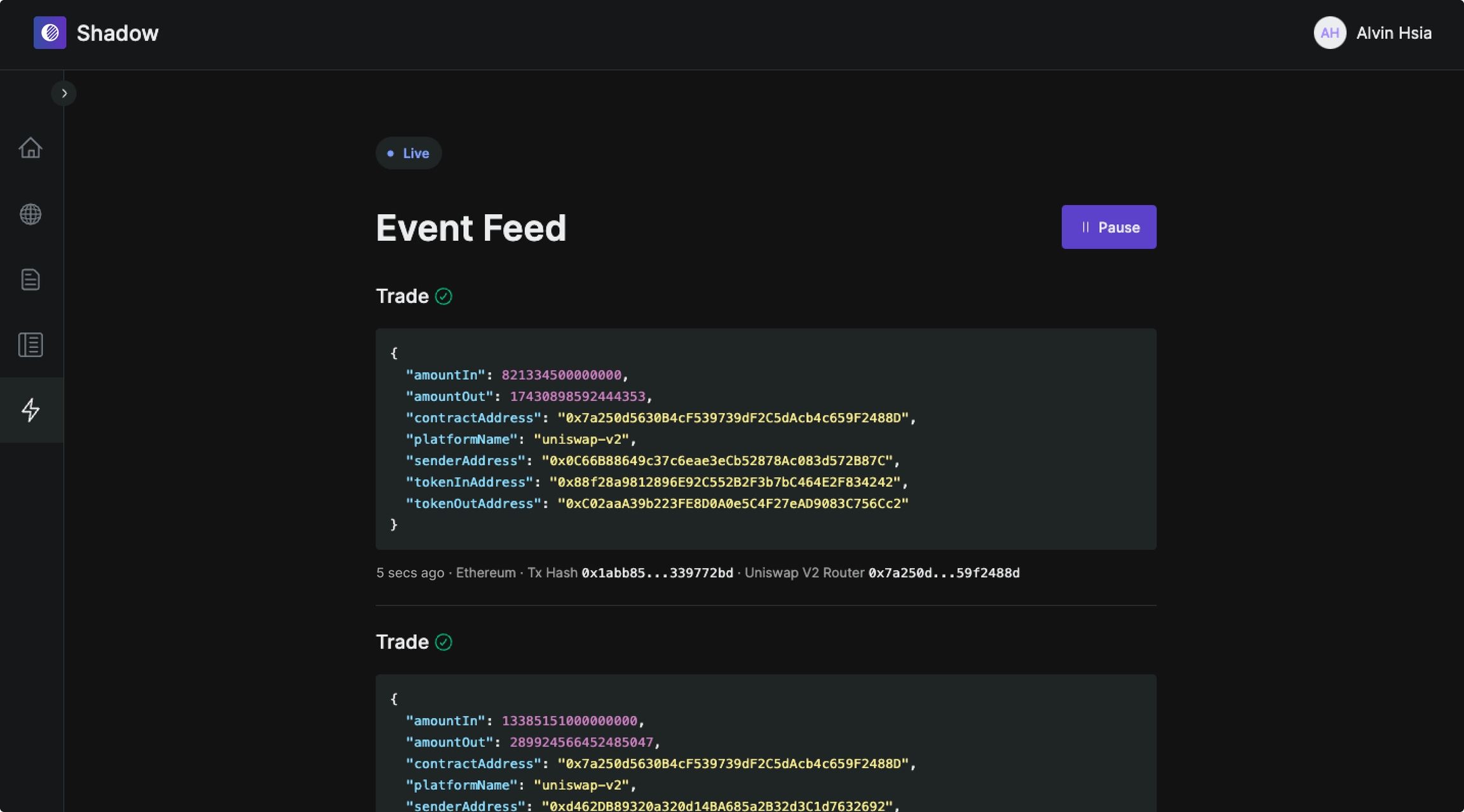
Once deployed, you can see your shadow events happening in realtime on the Event Feed tab.
You can also access your shadow event data via RPC, streams to your own database, or a Shadow hosted SQL API. Please talk to us if you're having trouble deciding or setting that up.
💬
💌
https://app.tryshadow.xyz/explorer/addresses/0x88e6a0c2ddd26feeb64f039a2c41296fcb3f5640?project_id=a8a8a8a8-3a3a-423e-8b8b-b0b0b0b0b0b0